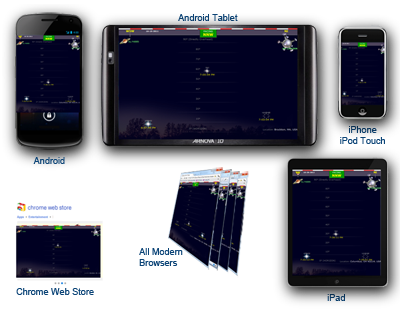
Last week I talked about the Chrome Web Store being another good high-traffic outlet for your PhoneGap HTML5 codebase.
One of the first issues I encountered with my Packaged App in this new outlet was with advertising. The ads displayed just fine, as they do on the main website, except for one thing - for every click, the earnings were always $0.00. That's not good. After an exhaustive search, I came across this promising answer, but still, $0.00 every time.
The actual problem was that I was using a Packaged App, which essentially is your entire codebase running locally on the user's machine. It ends up that ads within a Packaged App don't have a "legitimate" source URL, according to AdSense, since it's really just local code on the user's machine. The Chrome Web Store's alternative to a Packaged app is a Hosted App - which is a link to the URL of your application.
The Hosted App solution is not only appealing as a valid source to display ads, but from a maintainability standpoint I now have one less place to deploy to. All I need now for deployment is my manifest file and app icons - the Web Store app just piggybacks on my already-existing website.
Here's a sample manifest file for a hosted app:
So the quest for a solution to the AdSense problem sent me down the path of investigating Chrome Web Store "Hosted Apps", which not only resolved my advertising issue, but ended up being a better solution in general for my needs.
If you're debating which type of app would work best for you, here is a good comparison of Hosted vs Packaged apps
One of the first issues I encountered with my Packaged App in this new outlet was with advertising. The ads displayed just fine, as they do on the main website, except for one thing - for every click, the earnings were always $0.00. That's not good. After an exhaustive search, I came across this promising answer, but still, $0.00 every time.
The actual problem was that I was using a Packaged App, which essentially is your entire codebase running locally on the user's machine. It ends up that ads within a Packaged App don't have a "legitimate" source URL, according to AdSense, since it's really just local code on the user's machine. The Chrome Web Store's alternative to a Packaged app is a Hosted App - which is a link to the URL of your application.
The Hosted App solution is not only appealing as a valid source to display ads, but from a maintainability standpoint I now have one less place to deploy to. All I need now for deployment is my manifest file and app icons - the Web Store app just piggybacks on my already-existing website.
Here's a sample manifest file for a hosted app:
{
  "name": "My Cool App",
  "description": "This is a test of the Chrome Web Store",
  "version": "1.0.0.1",
  "app": {
    "urls": [
      "*://www.yourwebsite.com /mail/",
      "*://www.yourwebsite.com /otherarea/"
    ],
      "launch": {
      "web_url": "http://www.yourwebsite.com/"
    }
  },
  "icons": {
    "128": "icon_128.png"
  },
  "permissions": [
    "unlimitedStorage",
    "notifications"
  ]
}
Note that you need to specify a launch URL, as well as any other non-asset URLs you'll be using. And you will need to verify that you are the owner of this site using Google's Webmaster Tools.So the quest for a solution to the AdSense problem sent me down the path of investigating Chrome Web Store "Hosted Apps", which not only resolved my advertising issue, but ended up being a better solution in general for my needs.
If you're debating which type of app would work best for you, here is a good comparison of Hosted vs Packaged apps


 Our sample app (links to all versions below) is going to call
